Storyframe
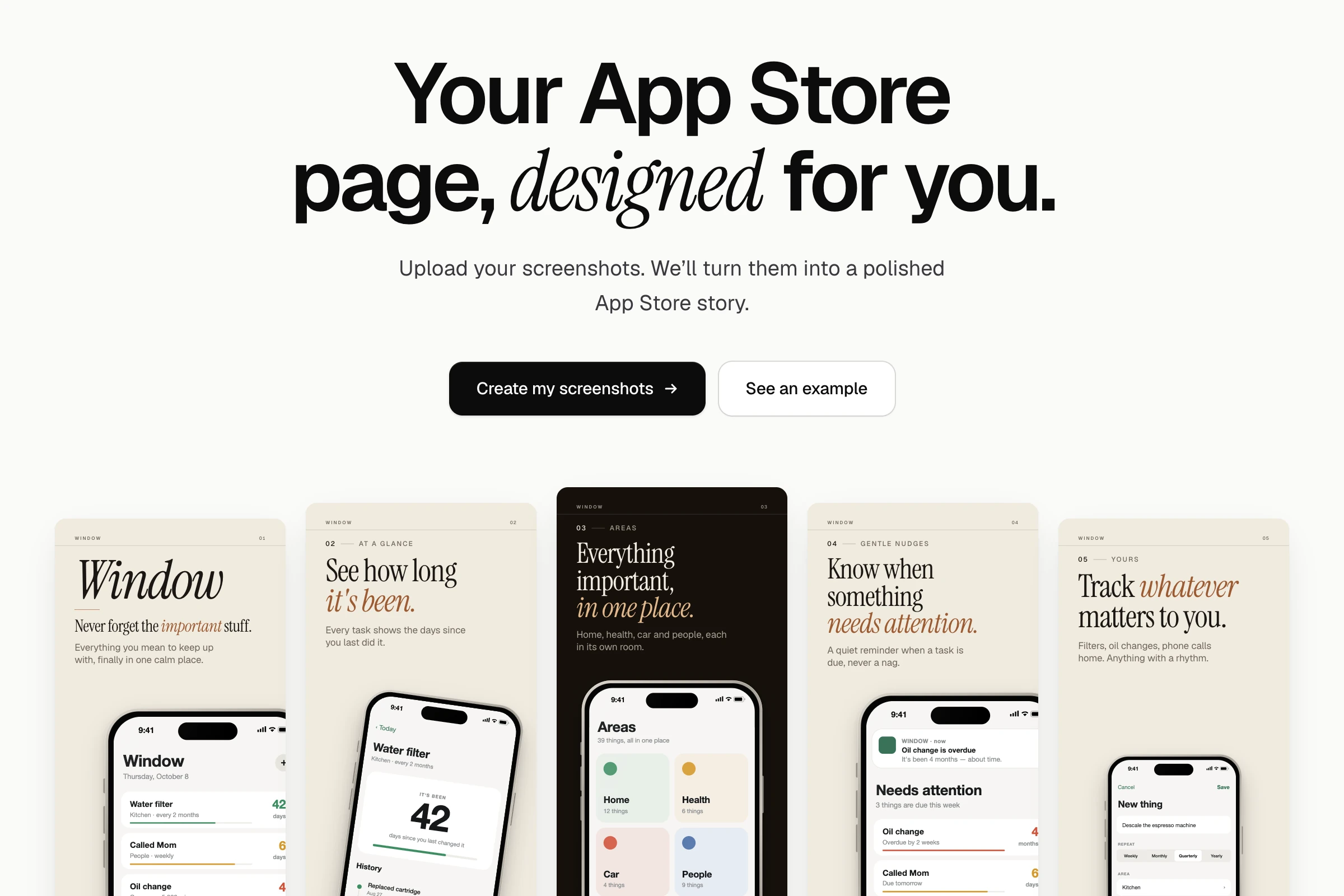
Your App Store page, designed for you.
- Role
- Founder · Product, design & build
- Year
- 2026
- Status
- In beta
- Focus
- Creator tools, Design systems, AI-assisted copy, Front-end
- Links
- Try Storyframe
In short
A creator tool that turns raw app screenshots into a finished App Store listing. Upload screens, describe the app, and choose between three genuinely different creative directions — then fine-tune and export at exact App Store sizes.
At a glance
- Context
- Indie developers ship apps with screenshots that undersell them, because designing an App Store page is its own design job.
- Problem
- Template tools give you ten palettes of the same layout. What’s missing is creative direction — a voice, a type system, a composition.
- My role
- Solo: product, design system, the rendering engine, the story pipeline, and export.
- Status
- A working V1, live as a beta. The AI copywriter is built behind an interface; the live version currently writes copy from templates.
Approach
- 01
Differentiate on direction, not editing.
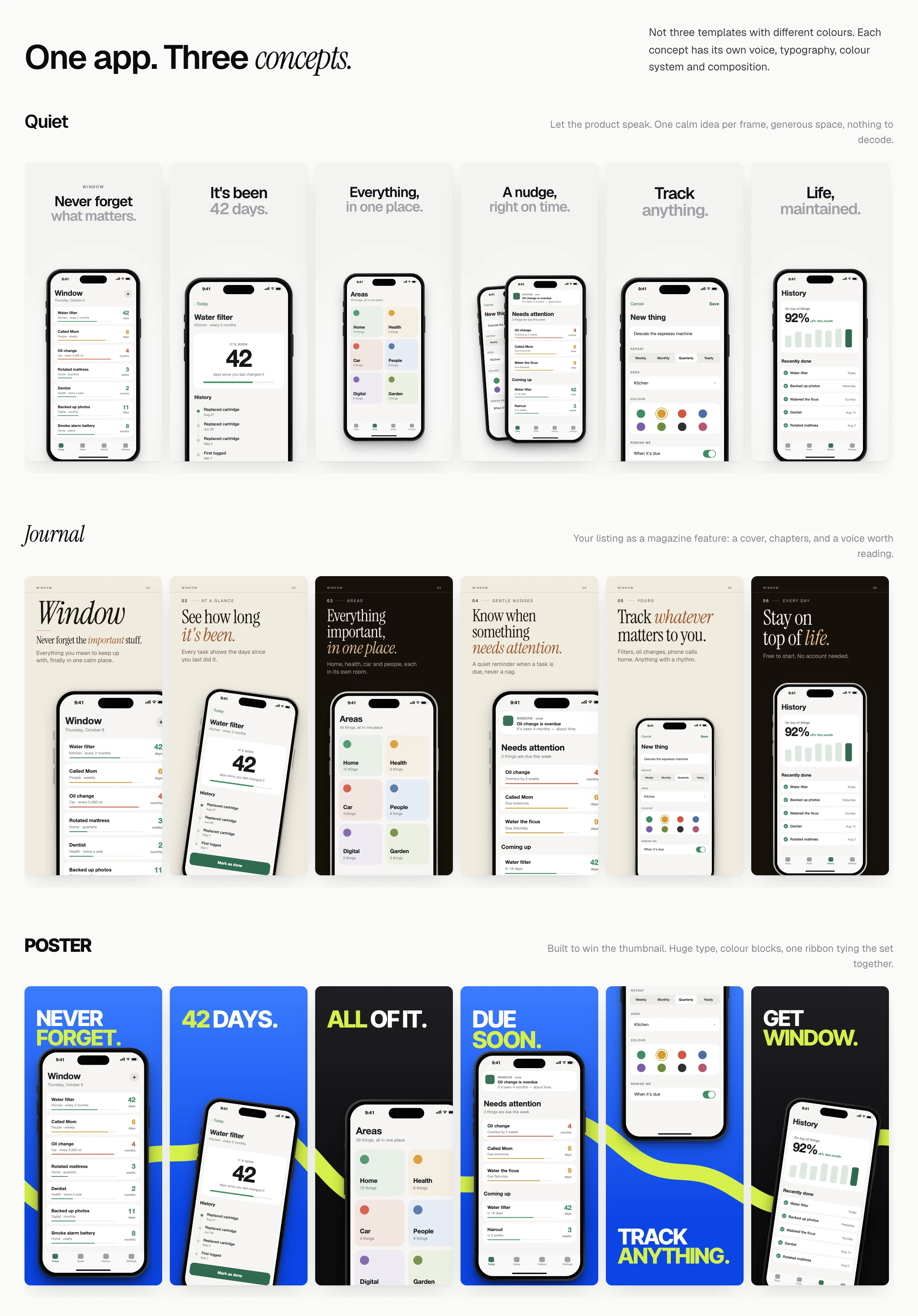
Editors are a commodity. The product’s job is to make the creative decisions most developers can’t — so the three concepts are distinct campaigns: Quiet, Journal, and Poster.
- 02
A six-frame story.
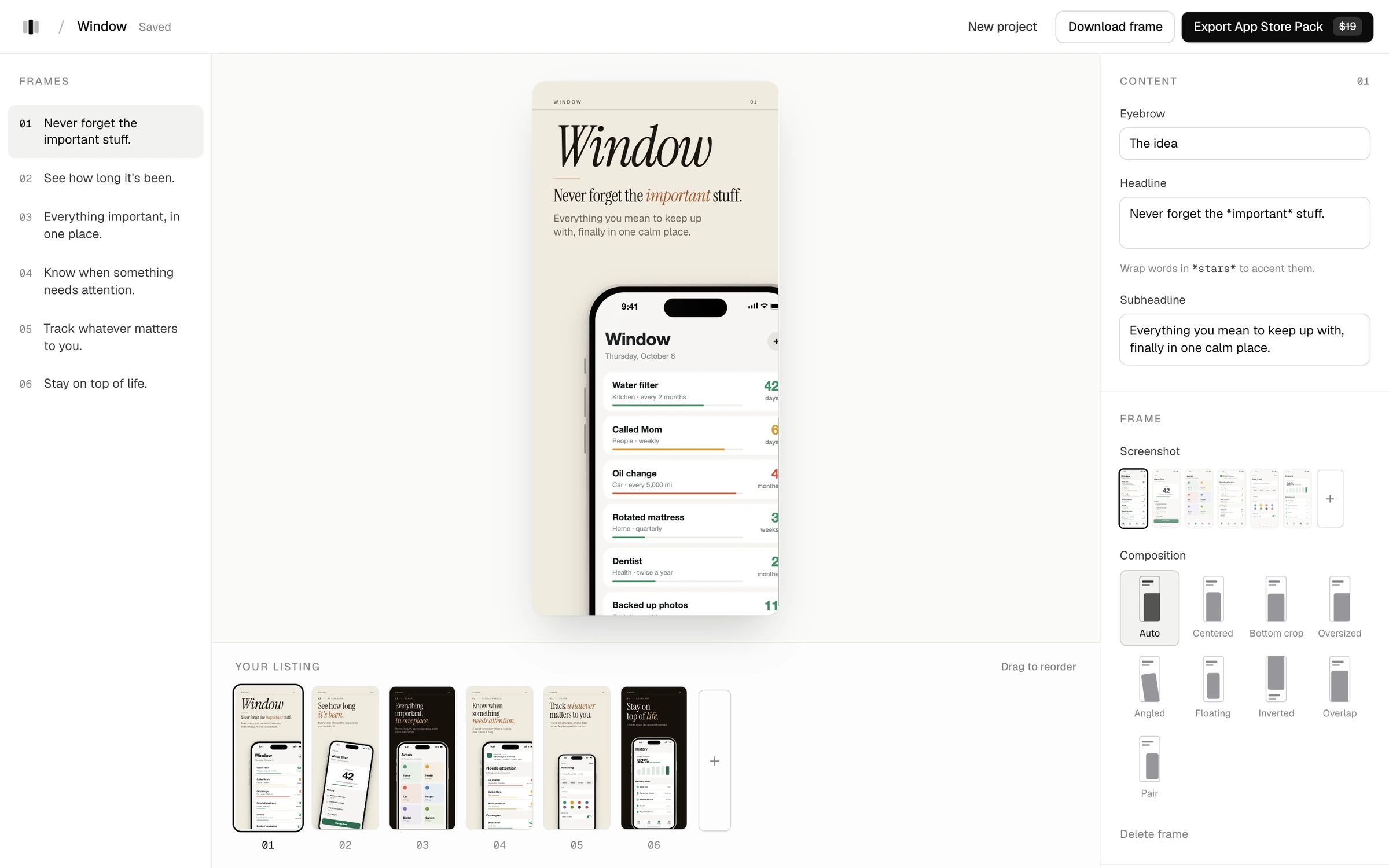
Screenshots are sequenced into a story — a hook, the core value, the details — with copy written for each frame, rather than captions bolted onto a grid.
- 03
Exact sizes, no surprises.
Frames are composed at full resolution and exported at the exact App Store sizes for 6.9″ and 6.5″ displays, as individual PNGs or a ZIP.
NoteBuilt in October 2026. Projects are stored in your browser; nothing is uploaded to a server except the request to write the story.
StreamGenie
What are we watching tonight?