BankToCSV
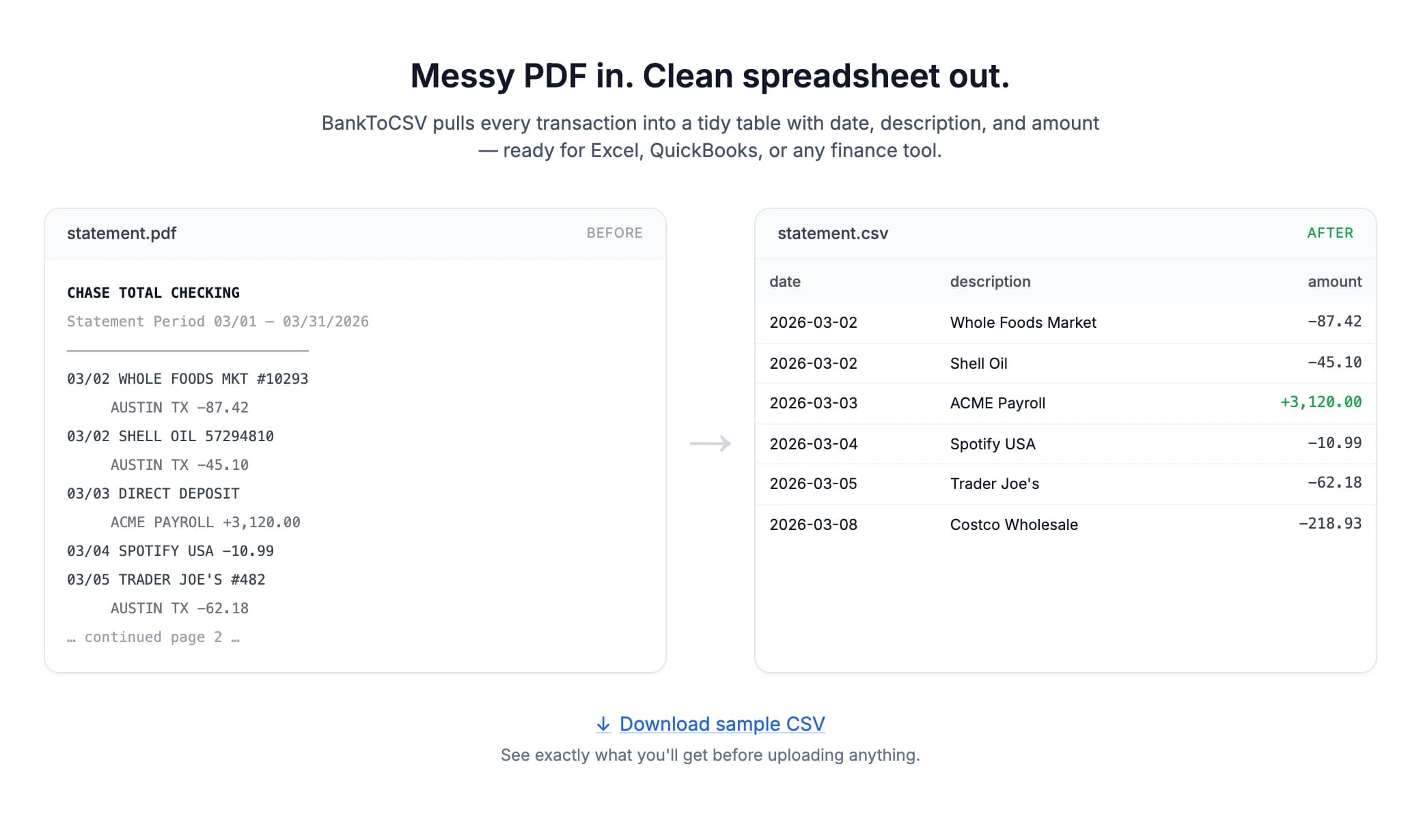
Messy PDF in. Clean spreadsheet out.
- Role
- Founder · Product, design & build
- Year
- 2026
- Status
- Live
- Focus
- Product design, Conversion design, Front-end & parsing, Payments, SEO
- Links
- banktocsv.co
In short
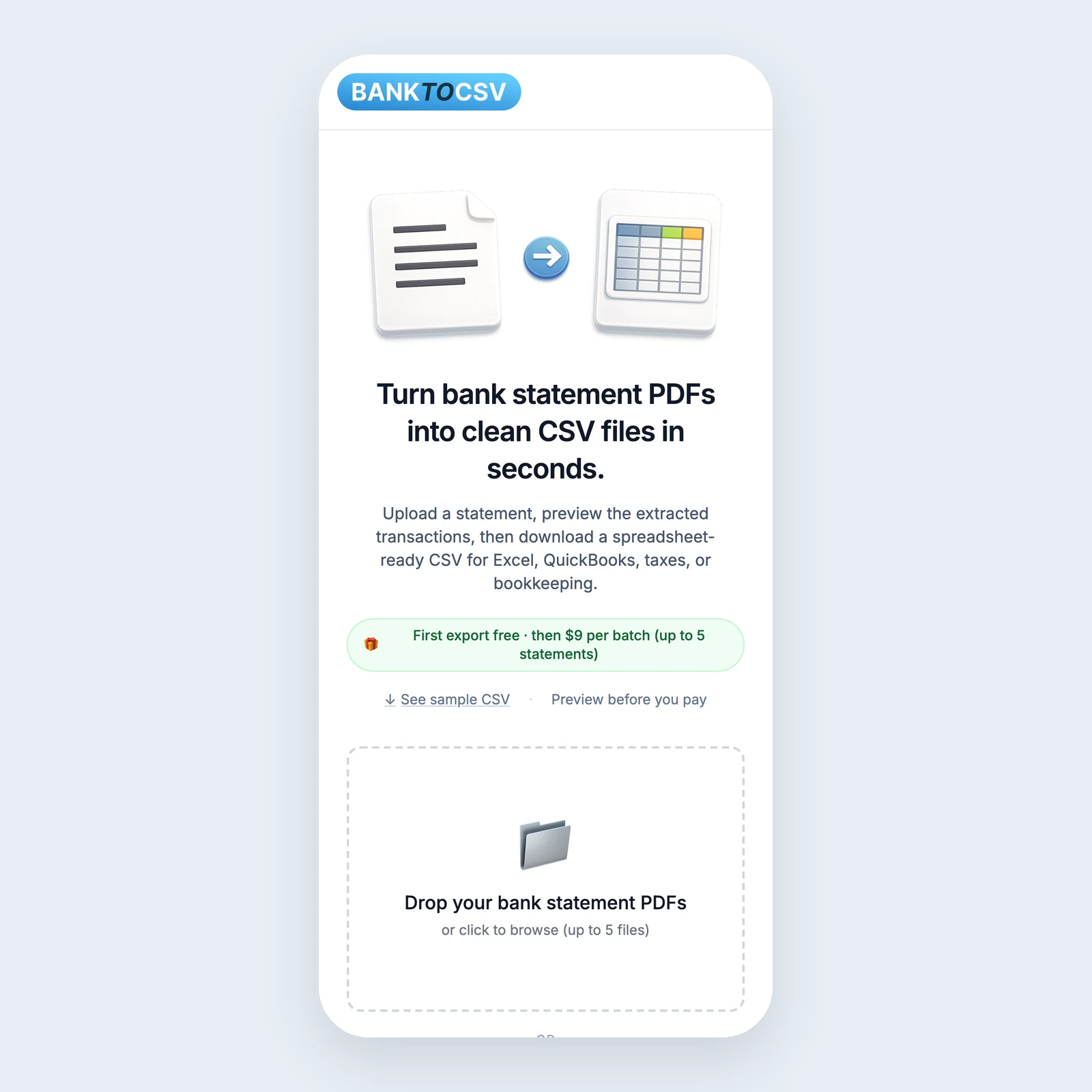
A web app that turns bank and credit card statement PDFs into clean CSV files — previewed before you pay, with no account and nothing kept. I designed, built, and launched it, then found the real problems by watching what happened in production.
Overview
A tool you need twice a year shouldn’t be a subscription.
Banks hand you statements as PDFs. Bookkeepers, freelancers, accountants, and small business owners need them as rows — for taxes, QuickBooks, budgeting, or an accountant who asked for “a spreadsheet”. The usual options are retyping every transaction or paying monthly for software you’ll open at tax time.
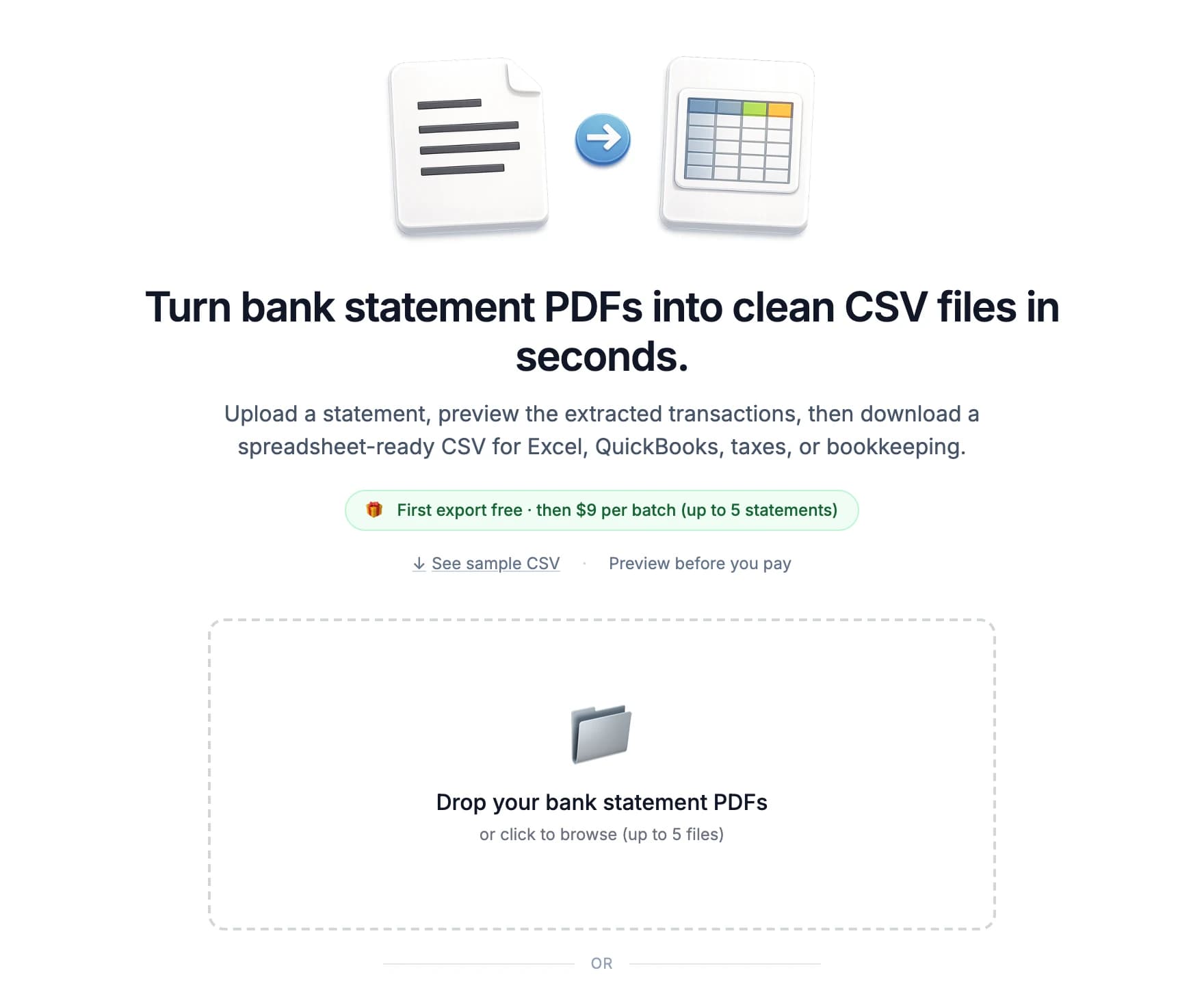
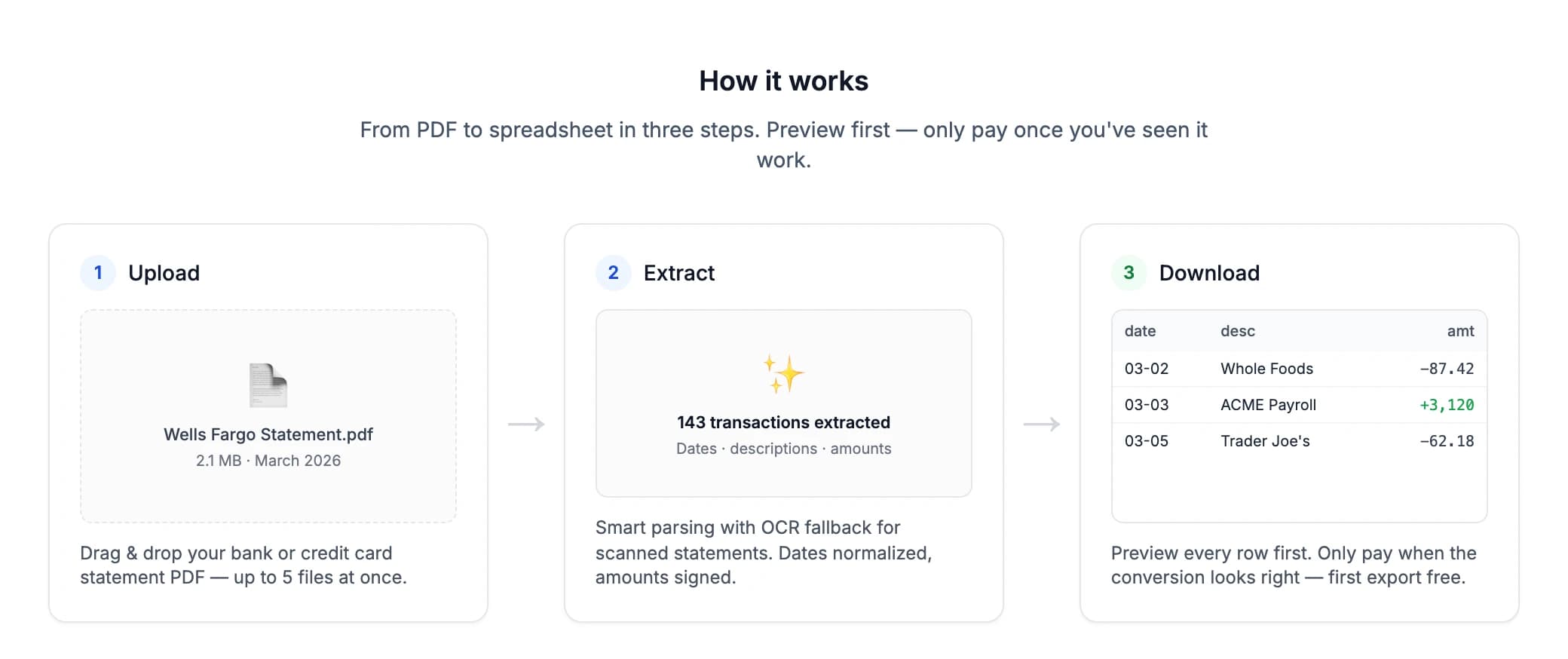
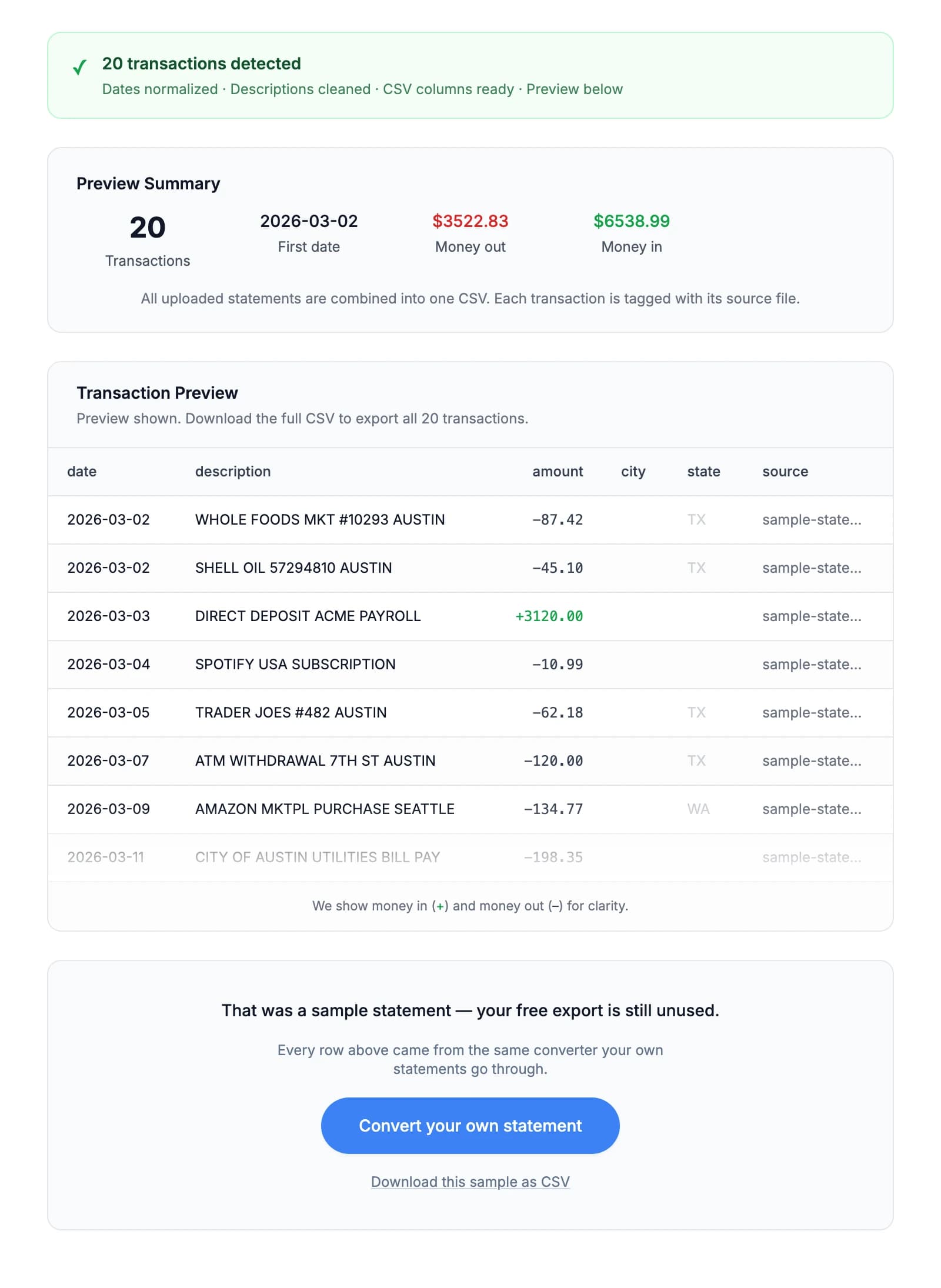
BankToCSV does one thing: drop in up to five statements, see every extracted transaction, and download a spreadsheet-ready CSV. Dates are normalized, amounts are signed, descriptions are cleaned, and scanned statements fall back to OCR.
Key decisions
- 01
Preview before you pay.
Every extracted row is shown before any money changes hands, and the first export is free. The riskiest moment for a tool like this is “will it work on my statement?” — so the product answers that before asking for anything.
- 02
No account, nothing kept.
Bank statements are about as personal as documents get. Uploads are encrypted, files are deleted after processing, and there is no sign-up at all.
- 03
Pay per batch, not per month.
Pricing moved from a straight paywall to first-export-free, then settled on a one-time $9 for up to five statements. No subscription to forget to cancel.
- 04
Meet people where they search.
People don’t search for “PDF to CSV” — they search for their bank. So there’s a step-by-step guide for each of 26 banks, plus structured data and an llms.txt so AI assistants can describe it accurately.
What production showed
The converter was turning away statements it could read.
Analytics showed nearly every visitor leaving the landing page without ever reaching the converter. Testing the path myself turned up something worse: valid statements were being rejected in production. An outdated PDF library was loaded in a way the build couldn’t trace, so the same file extracted ten transactions on my machine and failed on the live site — silently, for months.
I replaced the parser with a modern one built for serverless; a statement the old code couldn’t open now yields all 20 rows with exact totals. The same pass replaced raw library errors with a clear, recoverable message, and fixed a rate limit that locked people out mid-way — the interface accepted five files, but sending one request per file meant previewing twice hit the cap.
What I learned
- 01
Test where your customers are.
Local and production diverged for months without anyone noticing. The fix was only done once the same statements converted correctly on the live site, not just on my machine.
- 02
Let people try before they upload.
Asking someone to hand over a bank statement to see if a tool works is a big ask. A one-click sample conversion shows real extracted rows with nothing to upload.
- 03
Distribution is the product too.
The most-searched version of this job is given away free by funded companies as a lead source for lending. A well-built tool still has to be found — which is why the bank guides matter as much as the parser.
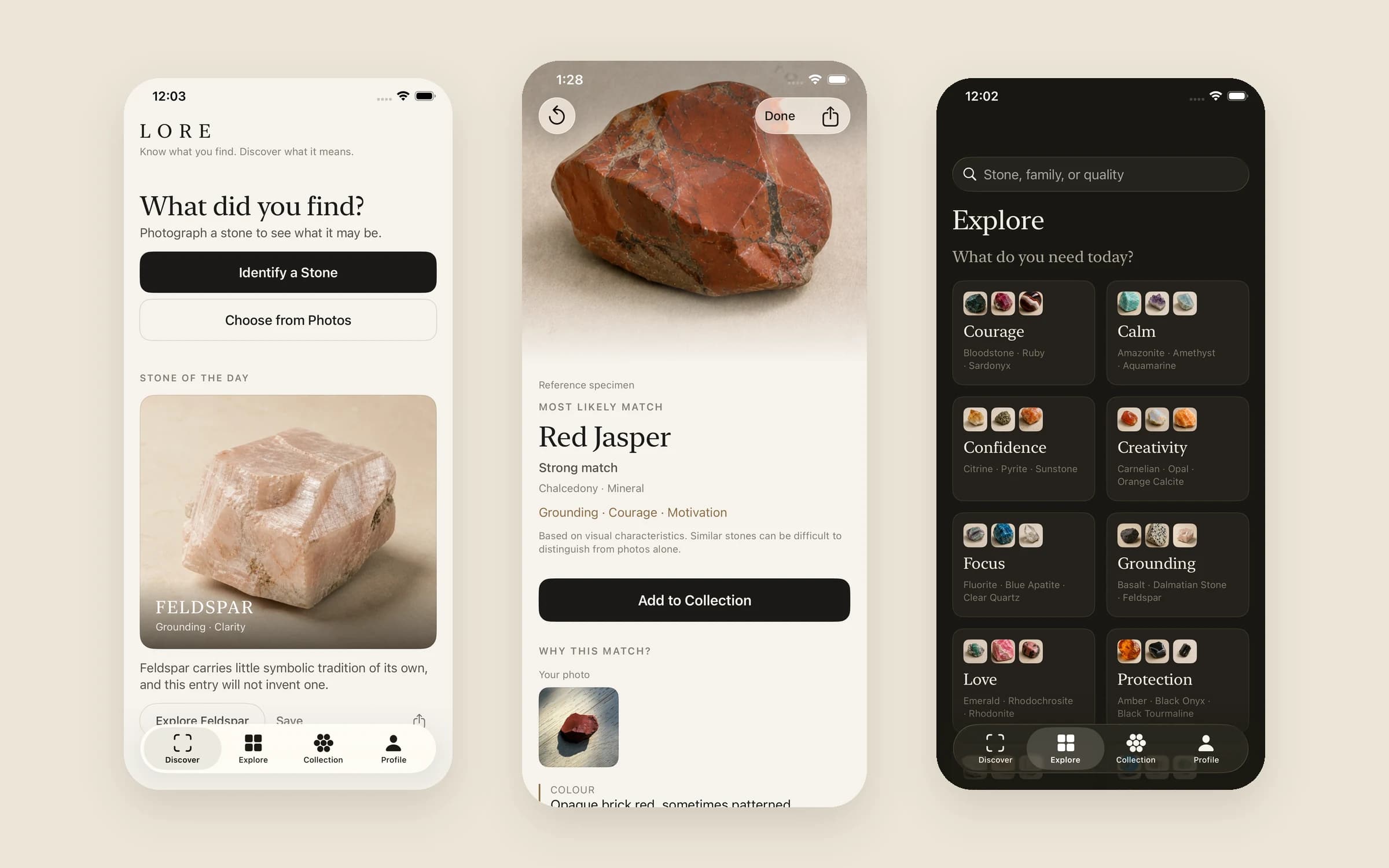
LORE
A field guide to stones — for the curious, not the mineralogist.